One CSV, every site: a shared menu with Kuickr data and embeds
Put a list in a CSV on Kuickr, draw it with a small HTML page, and embed it on any website. Updating every site becomes a file upload, not a redeploy.
A list that lives on several websites
Most teams have a list that has to appear on several websites: products, office hours, prices, a status line. It usually gets copied into each site's code, so every change means editing and redeploying all of them.
With Kuickr you can keep that list in one CSV file and show it on any website. Here's how we did it for the "More from PaveLabs" menu that links our products to each other. Building it took minutes, and changing the list is now one file upload.
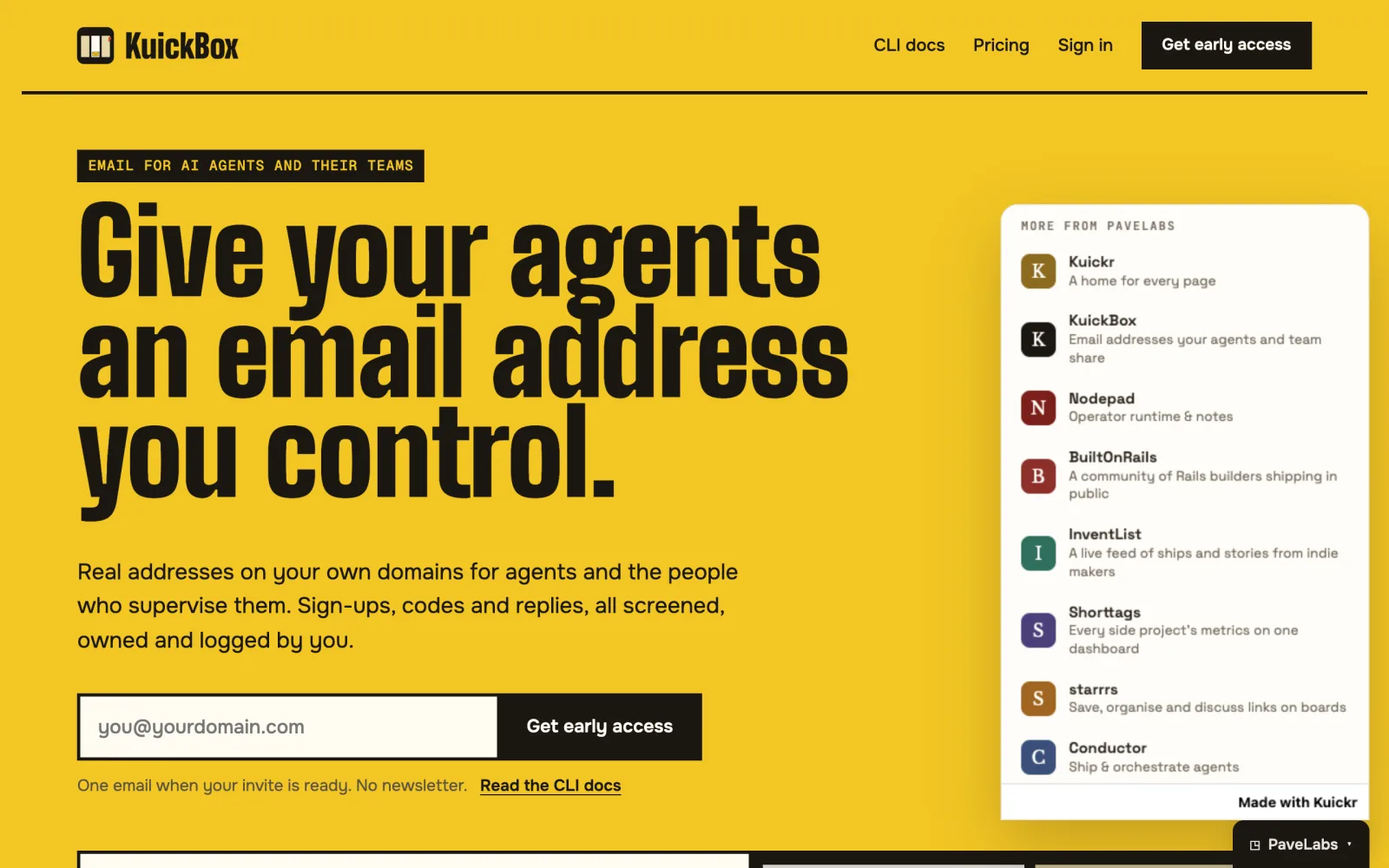
Put the list in a CSV
Upload a CSV to a Kuickr folder like any other file. Ours is products.csv:
key,name,blurb,url,accent
kuickr,Kuickr,A home for every page,https://kuickr.co,#8a6a1f
kuickbox,KuickBox,Email addresses your agents and team share,https://kuickbox.com,#1a1712
nodepad,Nodepad,Operator runtime & notes,https://nodepad.tools,#7a1f1a
starrrs,starrrs,"Save, organise and discuss links on boards",https://starrrs.com,#a06520
Kuickr keeps every version of the file. To change the list, edit the spreadsheet and upload it again over the old one. That's the only step.
Draw it with an HTML page
Next to the CSV, add an HTML page. It declares the CSV the same way it would link an image, then fetches it:
<link rel="kuickr-data" id="products" href="products.csv">
<script type="module">
  const res = await fetch(document.getElementById("products").href);
  const rows = parseCsv(await res.text());
  render(rows);
</script>
When the page loads, Kuickr replaces that href with a signed link
for whoever is viewing. The page holds no key, and the CSV keeps its own permissions.
Our page is about 90 lines. It has a small CSV parser that handles quoted cells
(one blurb contains a comma) and a renderer that builds each row with textContent,
so nothing typed into the spreadsheet can inject HTML. It also skips any link that isn't
https:// and any colour that isn't a hex code. Treat the CSV as content someone
might get wrong, and the page stays safe.
Issue an embed link
Turn on an embed for the page, from the page's share settings or with one call from an agent. Kuickr gives you a link that works inside an iframe on any website. It runs the page in a sandbox and adds a small "Made with Kuickr" footer.
Paste it into each site
On each site the whole menu is seven lines of HTML and no JavaScript:
<details class="pl-bar">
  <summary class="pl-tab">◳ PaveLabs ▴</summary>
  <div class="pl-panel">
    <iframe src="https://kuickr.co/embed/…" title="More from PaveLabs"
            loading="lazy" referrerpolicy="no-referrer"></iframe>
  </div>
</details>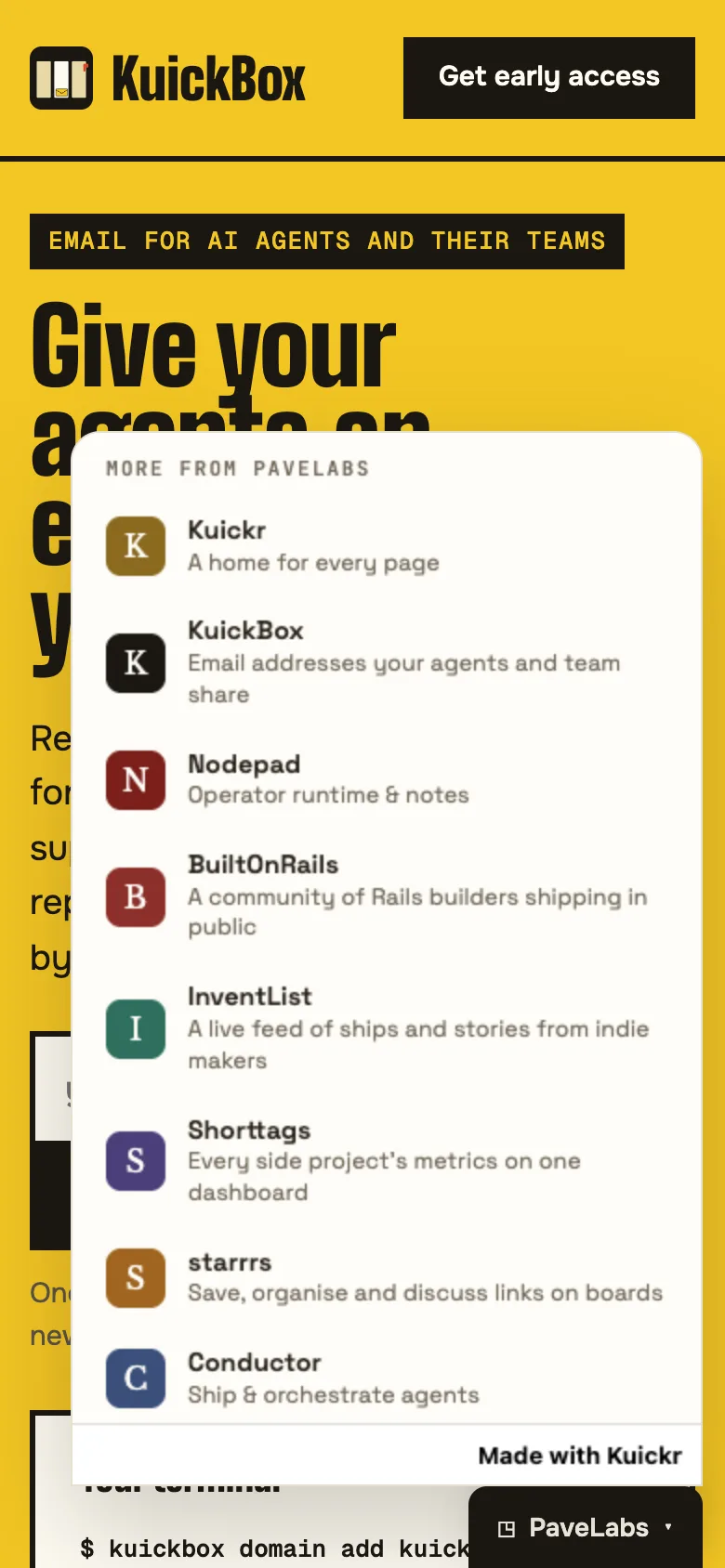
<details> gives you open and close without code. The iframe is
lazy and sits inside a closed <details>, so the browser doesn't load it until
someone opens the menu. The tab and panel are styled by each site, so the menu matches every
brand while the list stays shared.
KuickBox was the first site to use it. Every other site pastes the same block, and our next product will be one new row in the CSV.
Three things to make embeds better
Building this showed us three things to make embeds better.
- Links that open a new tabEmbedded pages run in a sandbox, and a tab opened
from a sandbox inherits it, which can break sign-in on the site it opens. For now, have
embed links open in the same tab with
target="_top"; embeds allow that after a real click. We're looking at letting new tabs leave the sandbox. - Knowing which site an embed is onAn embed doesn't currently see the address
of the page it sits in, so one shared menu can't highlight "you're here". We plan to let a
site pass a small hint, such as
?here=kuickbox, through to the embedded page. - Data that arrives with the pageThe page fetches the CSV after it loads, so rows appear a moment after the frame. That's fine for a menu. For content people see first, place the CSV in a Kuickr document with a partial, which renders the table with the page.
Try it
You need three things: a CSV in a folder, an HTML page with
<link rel="kuickr-data">, and an embed link. Your list then lives in one
place, and every site that embeds it shows the latest version on its next load.